
Saturday, February 3, 2018

Sunday, July 16, 2017

Packaging up a Go app as a snap
After building my first Python snap I was asked to try to build a Go snap.
There is a video about building Go snaps with snapcraft here so after watching it I gave Kurly a try.
First of all I got familiar with the code and got it on my PC:
$ git clone https://github.com/davidjpeacock/kurly.git
I entered the kurly directory:
$ cd kurly
I created a snap directory and entered it:
I created a snapcraft.yaml file with the go plugin (plugin: go):$ mkdir snap
$ cd snap
name: kurly
version: master
summary: kurly is an alternative to the widely popular curl program.
description: |
kurly is designed to operate in a similar manner to curl, with select features. Notably, kurly is not aiming for feature parity, but common flags and mechanisms particularly within the HTTP(S) realm are to be expected.
confinement: devmode
apps:
kurly:
command: kurly
parts:
kurly:
source: .
plugin: go
go-importpath: github.com/davidjpeacock/kurly
The go-importpath keyword is important and tells the checked out source to live within a certain path with 'GOPATH'. This is required to work with absolute imports and path checking.
I went back to the root of the project and launched the snapcraft command to build the snap:
$ cd ..
$ snapcraft
Once snapcraft has finished building you will find a kurly_master_amd64.snap file in the root directory of the project.
I installed the kurly snap in devmode to test it and see if worked well in non confined mode so that then I could run it in confined mode and add the plugs needed by the snap to work properly:
$ sudo snap install --dangerous --devmode kurly_master_amd64.snap
If you run:
$ snap list
you will see the kurly snap installed in devmode:
Name Version Rev Developer Notes
core 16-2 2312 canonical -
kurly master x1 devmode
Now i tried kurly out a bit to see if it worked well, for instance:
$ kurly -v https://httpbin.org/ip$ kurly -R -O -L http://cdimage.debian.org/debian-cd/current/amd64/iso-cd/debian-8.7.1-amd64-netinst.iso
Ok fine, it worked so now I tried to install it in confined mode changing the snapcraft.yaml file accordingly (confinement: strict).
I ran snapcraft again and installed the snap:
$ snapcraft
$ sudo snap install --dangerous kurly_master_amd64.snap
You can see from the snap list command that the app is installed not in devmode anymore:
$ snap list
Name Version Rev Developer Notes
core 16-2 2312 canonical -
kurly master x2 -
I tried out kurly again and got some errors:
$ kurly -v https://httpbin.org/ip> GET /ip HTTP/1.1
> User-Agent [Kurly/1.0]
> Accept [*/*]
> Host [httpbin.org]
*Error: Unable to get URL; Get https://httpbin.org/ip: dial tcp: lookup httpbin.org: Temporary failure in name resolution
From the error I could understand that kurly needs the network plug (plugs: [network]) so I changed the snapcraft.yaml file so:
name: kurly
version: master
summary: kurly is an alternative to the widely popular curl program.
description: |
kurly is designed to operate in a similar manner to curl, with select features. Notably, kurly is not aiming for feature parity, but common flags and mechanisms particularly within the HTTP(S) realm are to be expected.
confinement: strict
apps:
kurly:
command: kurly
plugs: [network]
parts:
kurly:
source: .
plugin: go
go-importpath: github.com/davidjpeacock/kurly
I ran snapcraft and installed the kurly snap again:
But when I ran a kurly command for downloading a file I got another error:$ snapcraft
$ sudo snap install --dangerous kurly_master_amd64.snap
Kurly could not write the file to my home direcotry, so I added the home plug to the snapcraft.yaml file, ran snapcraft and installed the snap again.$kurly -R -O -L http://cdimage.debian.org/debian-cd/current/amd64/iso-cd/debian-8.7.1-amd64-netinst.iso
*Error: Unable to create file 'debian-8.7.1-amd64-netinst.iso' for output
This time kurly worked fine.
So here's the final snapcraft.yaml file ready for a PR in Git Hub:
name: kurly
version: master
summary: kurly is an alternative to the widely popular curl program.
description: |
kurly is designed to operate in a similar manner to curl, with select features. Notably, kurly is not aiming for feature parity, but common flags and mechanisms particularly within the HTTP(S) realm are to be expected.
confinement: strict
apps:
kurly:
command: kurly
plugs: [network, home]
parts:
kurly:
source: .
plugin: go
go-importpath: github.com/davidjpeacock/kurly
That's it.
The Go snap is done!
Saturday, July 15, 2017

My first Snap
I have been testing for Ubuntu for quite a while so I decided to change a bit and give packaging apps a go, so here I am writing about how I managed to create my first Python Snap.
Snapcraft is new way to package apps and so I thought it would be nice to learn about it, so I went to the Snapcraft site https://snapcraft.io/ and found out, that with Snapcraft you can:
"Package any app for every Linux desktop,
server, cloud or device, and deliver updates directly".
"A snap is a fancy zip file containing an application together
with its dependencies, and a description of how it should safely
run on your system, especially the different ways it should
talk to other software.
Snaps are designed to be secure, sandboxed, containerised applications isolated from the underlying system and from other applications. Snaps allow the safe installation of apps from any vendor on mission critical devices and desktops."
Snaps are designed to be secure, sandboxed, containerised applications isolated from the underlying system and from other applications. Snaps allow the safe installation of apps from any vendor on mission critical devices and desktops."
So if you got an app that is too new for the Ubuntu archive, you can get it in the Snaps store and install it on Ubuntu or any other Linux distribution that supports Snaps.
I started by getting in touch with the guys in the Snapcraft channel on Rocket chat: https://rocket.ubuntu.com/channel/snapcraft that told me to how to start.
First of all I read the "Snap a Python App" tutorial and then applied what I learned to Lbryum a Lightweight lbrycrd client, a fork of the Electrum bitcoin client.
I couldn't believe how easy it was, I am not a developer but I know how to code and I know a bit of Python.
First of all you need to get familiar with the code of the app you want to snap so I got Lbryum code from Git Hub:
$ sudo apt install git
$ git clone https://github.com/lbryio/lbryum.git
Once I got familiar with the code I installed Snapcraft:
$ sudo apt install snapcraft
I generated a Snapcraft projet in the lbryum root directory with:
$ snapcraft init
If everything works, you will get this output:
Created snap/snapcraft.yaml.
Edit the file to your liking or run `snapcraft` to get started
Now if you check the content of the project's directory, it has been populated with a "snap" folder containing the snapcraft.yaml file that I modified for creating the Lbryum app snap:
name: lbryum
version: 'master'
summary: Lightweight lbrycrd client
description: |
        Lightweight lbrycrd client, a fork of the Electrum bitcoin client
grade: stable
confinement: devmode

apps:
  lbryum:
     command: lbryum
  parts:
  lbryum:
     source: .
     plugin: python
Here is the documentation so you can find the meaning of the fields in the snapcraft.yaml file (the fields are quite self explanatory):
To find out what plugs or parts your app needs, you need to run snapcraft and debug it until you find out all that's needed, so I tried to build it at this stage to make sure that I had the basic definition correct.
I ran this command from the root of the lbryum-snap directory:
$ snapcraft prime
Obviously I had some errors that made me make some changes to the snapcraft.yaml file. I found out that the app needs Python2 so I added "python-version: python2" and I specified to use the requirements.txt file of the Lbryum project
for the packages needed during install (requirements: requirements.txt):
I ran:name: lbryum version: 'master' summary: Lightweight lbrycrd client description: | Lightweight lbrycrd client, a fork of the Electrum bitcoin client grade: stable confinement: devmode apps: lbryum: command: lbryum parts: lbryum: source: . plugin: python requirements: requirements.txt python-version: python2
$ snapcraft clean
and
$snapcraft prime
again.
Success!!!! :)
Ok, so now I tried the snap with:
$ sudo snap try --devmode prime/
$ lbryum daemon start
$ lbryum version
$ lbryum commands
played a bit around with it to see if the snap worked well.
Now before shipping the snap or opening a PR in Git Hub, we need to turn confinement on and see if the snap works or if it needs further changes to the snapcraft.yaml file.
So I changed the confinement from devmode to strict (confinement: strict) and then ran:
$ snapcraft
I got this output:
I installed the snap:Skipping pull lbryum (already ran)
Skipping build lbryum (already ran)
Skipping stage lbryum (already ran)
Skipping prime lbryum (already ran)
Snapping 'lbryum' -
Snapped lbryum_master_amd64.snap
$ sudo snap install --dangerous lbryum_master_amd64.snap
When I ran lbryum I started getting a lot of errors that made me understand that lbryum needs to access the network for working so I added the network plug (plugs: [network]) :
I ran:name: lbryum version: 'master' summary: Lightweight lbrycrd client description: | Lightweight lbrycrd client, a fork of the Electrum bitcoin client grade: stable confinement: strict apps: lbryum: command: lbryum plugs: [network] parts: lbryum: source: . plugin: python requirements: requirements.txt python-version: python2
$ snapcraft
again and installed the snap again:
$ sudo snap install --dangerous lbryum_master_amd64.snap
$ lbryum daemon start
$ lbryum version
$ lbryum commands
Works!
Fine, so I opened a PR on Git Hub proposing my snapcraft.yaml file so that they could use it for creating a Lbryum snap.
If you need to debug your snap for finding what is wrong there is also a debugging tool for debugging confined apps:
https://snapcraft.io/docs/build-snaps/debugging
Thats it. End of my first snap adventure :).
Friday, January 15, 2016
RockWork the Ubuntu clockwork for the Pebble smartwatch
RockWork is a community driven project that aims to provide an open-source unofficial
app to be able to use a Pebble smartwatch on an Ubuntu phone/device.
You can find it on Launchpad here:
So far this is what it looks like, I am using it with my Pebble Classic watch and it is installed on my BQ Acquaris E4.5

You connect your Pebble watch to your Ubuntu device using bluetooth.
You can manage notifications by deciding witch ones to activate...


install apps directly from the app and manage their settings...
 | |

manage wathcfaces...
 |
 |
and screenshots of your Pebble dispaly that you can then share on social media, e-mail or SMS.

Tuesday, November 17, 2015
Ubuntu Phone update: OTA 8

The next OTA, OTA 8 is due to land in the next day or two:
This is what we will find in it:
- New weather application
- Improved Contacts sync (implements a new syncronisation engine)
- The sound indicator now provides audio playback controls - currently play and pause only, skip forward/skip backward to follow
- New Twitter scope includes the ability to tweet, comment, follow and unfollow
- New Book aggregator scope, with lots of regional content
- The OTA version is now reported in Settings > About this phone
- Location service now additionally provides location and heading information
- Web browser now includes:
- Media access permissions for sites
- Top level bookmarks view
- Thumbnails and grid view for Top Sites page
- Ubuntu store: QtPurchasing based in-app-purchases(currently in pilot mode)
- Various bug fix details can be found here.
Tuesday, October 13, 2015
Quick trick for Ubuntu Phone: how to turn your Ubuntu Phone into an ftp server
Did you know that Ubuntu Phone has a cool app that turns your phone into an ftp server ?
Well this app is called WifiTransfer, and it is easy to install.
You search for "Wifi transfer" in the Ubuntu Store

Select the app and click on install


Well this app is called WifiTransfer, and it is easy to install.
You search for "Wifi transfer" in the Ubuntu Store

Select the app and click on install

Once installed you will be able to transfer files to and from you Desktop PC and your Phone in a flash.
When you open the app click on "Turn on WifiTransfer"

and you will be able to transfer files to and from you Desktop PC and Phone browsing the network with Nautilus or using the "connect to server" function of File Manager:
 |
 |

Quick trick for Ubuntu Phone: how to turn on Hotspot feature

One of many Ubuntu Phone's cool features is the Hotspot one.
You can turn on this feature quickly and easily.
In system settings you tap on"Hotspot"

and enter the Hotspot feature settings:
 |
 |
You just have to tap on "change password/setup", enter a Hotspot name and a key that has to be at least 8 characters long and then tap on the save button.
After this, turning on and off the Hotspot feature is just a matter of swiping down from the network indicator and tapping on a checkbox :-).
Saturday, September 5, 2015
Mycroft: An Open Source Artificial Intelligence For Everyone

Mycroft, An Open Source Artificial Intelligence For Everyone project, is the world's first open source, open hardware home A.I.
platform. It is a state of the art A.I. based on Raspberry Pi 2 and
Arduino, three of the world’s most popular open development platforms and you can find it on Kickstarter here:
Mycroft's AI Could Power Ubuntu's Unity and Give Users Voice Control
More on the project here:
Meet Mycroft: Open Source Artificial Intelligence Powered by Snappy
Snappy Ubuntu + Mycroft = Love
Checkout Mycroft powered by Snappy Core
Monday, August 10, 2015
Ubuntu Phone India launch

Hello everyone,
Got some fresh news on the launch of Ubuntu Phone devices in India.
Canonical just held a couple of hangouts with us, Ubuntu Insiders, to share some news on the launch of Ubuntu Phones in India.
BQ will be launching the same two European devices:
- BQ Aquaris E4.5: http://www.bq.com/gb/aquaris-e4-5-ubuntu-edition and
- BQ Aquaris E5: http://www.bq.com/gb/aquaris-e5-ubuntu-edition
with black variant in India on snapdeal site, 2 weeks after launch there will be an Ubuntu Store on Snapdeal where other Ubuntu products will be available.
We haven't got a precise date for the launch, but it will happen probably in the next two weeks.
For the Indian launch, Ubuntu Phone will not be released on devices with a specific Indian image but there will be specific apps content available from an Indian specific app store.
There will also be sources relevant to India to be put in aggregate scopes, you will be able to tag feeds so to put them in specific scopes, and tag scopes so to make them come out in the right aggregator scope.
For the moment there is not specific content for India on the nearby scope, but there will be a new cricket aggregator, Indian-specific news (NDTV, TOI) and a Bollywood scope.
Aggregate scopes allow brand owners and developers to bring their content to the end user.
Lately there has been news about BQ selling devices with Ubuntu Phone installed world wide, but for the US there are radio limitations so the device will not work everywhere, Canonical still has to find a partner to sell device in the US.
OTA's will be released with a 6 week cadence.
In the next OTA (OTA 6) there will be improvements for web apps (web apps will not have to be second hand apps for developers), accelerometer, push notifications, camera, connectivity, better social integration, further plugins, power management and increasing performance.
Other work in progress is being able to watch videos and play media in scopes, have sound controls in the indicators, improve synchronization for calendar and contacts, improvements on bluetooth profiles (audio and monitor plugging in).
We are going towards convergence, we will probably have some convergence features in OTA 7.
Thats all for the moment :-).
Thursday, July 23, 2015
Let's test Ubuntu Phone's Wi-Fi Hotspots (internet tethering) feature
 |
| In system settings under "cellular" the new "Wi-Fi" hotspot feature |
 |
| Enabling Hotspot feature |
 |
| Hot spot feature settings |
We have a brand new Wi-Fi Hotspots (internet tethering) feature that's about to land in Ubuntu Phone with OTA-6.
I know a lot of persons that have been waiting for this feature eagerly.
So let's see how easy it is to help out testing it :-).
You can test this feature on both Ubuntu 15.04 (Vivid Vervet) and Ubuntu 15.10 (Wily Werewolf) based phone images
First you need to enable "Developer mode" on your Ubuntu Phone, to do this you go to system settings, "About this phone", swipe down right to the bottom and tap on "Developer mode", on the Developer mode page turn on "Developer mode" switch:

Now let's connect the phone to your Ubuntu desktop PC with a USB cable and in terminal write:
citrain device-upgrade <silo #> <pin/password on device>
so for testing this feature the command will be:
$ citrain device-upgrade 46 0000
where 0000 is your device's pin or password and 46 is the silo number.
If you don't have the phablet-tools-citrain package installed you need to:
$ sudo apt install phablet-tools-citrain
Now to start the hotspot:
- Ensure Wi-Fi is enabled.
- Go to System Settings -> Mobile/Cellular
- Tap “Wi-Fi hotspot”
- Set up your hotspot
- Enable it.
- A client can't see the hotspot or the hotspot does not work:
* File against: https://bugs.launchpad.net/ubuntu/+source/indicator-network/+filebug
* Please attach /var/log/syslog as well as ~/.cache/upstart/indicator-network.log- There's a problem with the System Settings UI:
* File against: https://bugs.launchpad.net/ubuntu/+source/ubuntu-system-settings/+filebug
* Please attach log files which you'll find here: ~/.cache/upstart/application-legacy-ubuntu-system-settings-.log
Enjoy testing :-D.
Saturday, July 18, 2015
UbuContest 2015

Canonical Ltd., the Ubucon Germany 2015 team, and the UbuContest 2015 team, are happy to announce the first UbuContest! We are excited to bring you an engaging, enlightening, community-organised competition, where the Ubuntu community brings forward innovative, creative and incredible apps, scopes and ideas for the converging Ubuntu world of the future. Contestants from all over the world will have until September 18, 2015 to build and publish their apps and scopes using the Ubuntu SDK and Ubuntu platform, starting today.
We know it's not all about shiny new apps and scopes! A great platform also needs content, great design, testing, documentation, bug management, developer support, interesting blog posts, news, technology demonstrations and all of the other incredible things our community does every day. So we give you, our community members, the opportunity to nominate other community members for prizes!
We are proud to present five dedicated categories:
- Best Team Entry: A team of up to three developers may register up to two apps/scopes they are developing. The jury will assign points in categories including "Creativity", "Functionality", "Design", "Technical Level" and "Convergence". The top three entries with the most points win.
- Best Individual Entry: A lone developer may register up to two apps/scopes he or she is developing. The rest of the rules are identical to the "Best Team Entry" category.
- Outstanding Technical Contribution: Members of the general public may nominate candidates who, in their opinion, have done something "exceptional" with an Ubuntu-based device, Unity8, Mir, etc. on a technical level. Each jury member has one vote, and the nominated candidate with the most jury votes wins.
- Outstanding Non-Technical Contribution: Members of the general public may nominate candidates who, in their opinion, have done something exceptional, but non-technical, to bring the Ubuntu platform forward. So, for example, you can nominate a friend who has reported and commented on all those phone-related bugs on Launchpad. Or nominate a member of your local community who did translations for Core Apps. Or nominate someone who has contributed documentation, written awesome blog articles, etc. The rest of the rules are identical to the "Outstanding Technical Contribution" category.
- Convergence Hero: The "Best Team Entry" or "Best Individual Entry" contribution with the highest number of "Convergence" points wins. The winner in this category will probably surprise us in ways we have yet to imagine.
Our community jury panel members Laura Cowen, Carla Sella, Simos Xenitellis, Sujeevan Vijayakumaran and Michael Zanetti will select the winners in each category. Successful winners will be awarded items from a huge pile of prizes, including travel subsidies for the first-placed winners to attend Ubucon Germany 2015 in Berlin, four Ubuntu Phones sponsored by bq and Meizu, t-shirts, and bundles of items from the official Ubuntu Shop.
We wish all the contestants good luck!
Go to ubucontest.eu for more information, including how to register and nominate folks. You can also follow us on Twitter @ubucontest, or contact us via e-mail at contest@ubucon.de.
UbuContest details and story
UbuContest details and story
Thursday, July 9, 2015
Snappy Personal Desktop
It is still a WIP and it is also quite early, but if you want to try out Snappy Personal Desktop, here is how to do it:
$ sudo ubuntu-device-flash personal rolling --channel edge -o personal_x86.img --developer-mode
$ kvm -m 2048 -vga qxl personal_x86.img
the password for logging in is "ubuntu".
Oh, for this to work you need Ubuntu 15.10 or at least ubuntu-device-flash from Wily.


$ sudo ubuntu-device-flash personal rolling --channel edge -o personal_x86.img --developer-mode
$ kvm -m 2048 -vga qxl personal_x86.img
the password for logging in is "ubuntu".
Oh, for this to work you need Ubuntu 15.10 or at least ubuntu-device-flash from Wily.


Monday, June 1, 2015
Ubuntu Insiders Hangout - news on new BQ and Meizu Ubuntu Phones.

So guys and gals I've got a lot of news for you! As an Ubuntu Insider we had a Hangout just a fiew hours agoe and I am going to share with you all the good news Cristian Parrino, Joe Odukoya and Amrisha Prashar shared with us:
So first:
Next week, on Tuesday 9th June BQ is going to release a new Ubuntu Phone, the Aquaris E5: http://www.bq.com/gb/aquaris-e5, compared to the E4.5 it will have a bigger screen, better resolution, better camera (5 Mpx on the front one and 14 Mpx on the rear one) and it will be sold directly form BQ's site at 199.90 Euro. There is an article here: http://www.omgubuntu.co.uk/2015/06/bq-aquaris-e5-ubuntu-phone-details with more specs.
Over the next couple of weeks (second, third week of June) we will also have the Meizu MX4 been sold in Europe, it will be sold at 299.99 Euro directly from the Meizu European site, but it won't be easy, to buy it, you will have to go to a special section of the site where you will find and origami wall that includes a couple of hundred of invites a day, you will have to poke around to get an invite to buy a phone. More on it here: http://www.omgubuntu.co.uk/2015/06/meizu-mx4-ubuntu-phone-europe-release-date and here: http://www.meizu.com/en/products/mx4/features.html.
Remember Ubuntu Phone is still a phone for enthusiasts and developers, it's not yet for end users, ecosystem and product maturity are still missing for general consumers, but I am sure that by next year it will be ready also for that target.
Ubuntu Phone will get OTA (Over The Air) monthly updates (probably towards the end of every month), we will get OTA 4 soon, probably next week.
OTA 4 will bring general improvements.
Scopes improvements to understand keywords and tags, aggregating scopes will automatically add scopes tagged with certain categories.
You will be able to personalize scopes and there will also be updated layouts for news scope, for instance.
Web browser will have improved privacy, clearing cache and history, bottom edge gesture will be much smoother and we will have better search integration.
Address book will have a couple improvements: you will be able to import contacts from your SIM and get a new settings panel.
We will have group chat in messaging so that we will be able to send messages to a number of people at the same time.
There will also be performance improvements.
Here is what to expect in the near future: The apps will have cosmetic changes to work in a convergence world.
There will be the possibility to add personalized contents to scopes, it will be easy to add accounts from settings and get your scopes automatically configured.
Syncing will be made smooth and efficient.
There will be improvement of keyboards to make it easier to add new keyboard layout.
We will have better media handling, support for playlists in music app and the ability to use them in scopes and have music controls in the indicators.
You will be able to post and share to social media from and directly from scopes, being able to interact and have access with social media.
There will be in line playing of video and audio, you will be able to tap on content from a scope and be able to play and control media from them.
You will have more customization options, add your own scopes to aggregators order scopes and improvement of positioning of scopes.
You will have more layout options.
Last and not least, looks like in October this year (but it's just a tentative launch date) BQ will launch the first Ubuntu Phone with convergence, more about this here: http://www.omgubuntu.co.uk/2015/06/first-ubuntu-phone-with-convergence-is-being-made-by-bq.
Last and not least, looks like in October this year (but it's just a tentative launch date) BQ will launch the first Ubuntu Phone with convergence, more about this here: http://www.omgubuntu.co.uk/2015/06/first-ubuntu-phone-with-convergence-is-being-made-by-bq.
Well I think I told you all I remember was said in the Hangout, even if probaly I missed something as a lot was said.
Stay tuned for more news.
Thursday, May 28, 2015
Ubuntu Phone Update: May
So guys got some news from Canonical on Ubuntu Phone OTA updates from May, let me share the goodness with you:

Hi all,
Hope you're well.
We have OTA updates from May to share with you which should be live very soon. Please find key updates below:
Web browser improvements:
- New bottom edge gesture to reveal tabs view
- New settings UI with Privacy settings
Scope improvements:
- Scope tagging (automatic aggregation of new sources)
- Today, Nearby and News scopes added support for keywords
- New and improved layout for the News scope
Address Book improvements:
- Ability to import contacts from SIM
- New settings panel
- Improved first-time user experience for contact sync/import
Toolkit upgraded:
- Version 1.3 of Toolkit
- Migrated to the 5.4 version of QT (https://wiki.qt.io/New-Features-in-Qt-5.4)
 |
 |
Cheers,
The Ubuntu Phone Team
#ubuntuphone
Sunday, March 29, 2015
Planet Ubuntu-it RSS feed scope
So now Planet Ubuntu-it has is own Ubuntu Phone RSS feed scope.
I created it using scopecreator command as I wrote in my previous article: My first Ubuntu Touch Scope.
 |
| Planet Ubuntu-it RSS feed scope |
 |
| Planet Ubuntu-it RSS feed scope |
 |
| Planet Ubuntu-it RSS feed scope |
 |
| Planet Ubuntu-it RSS feed scope |
 |
| Planet Ubuntu-it RSS feed scope |
Thursday, March 19, 2015
Planet Ubuntu-it has it's own Ubuntu Phone webapp
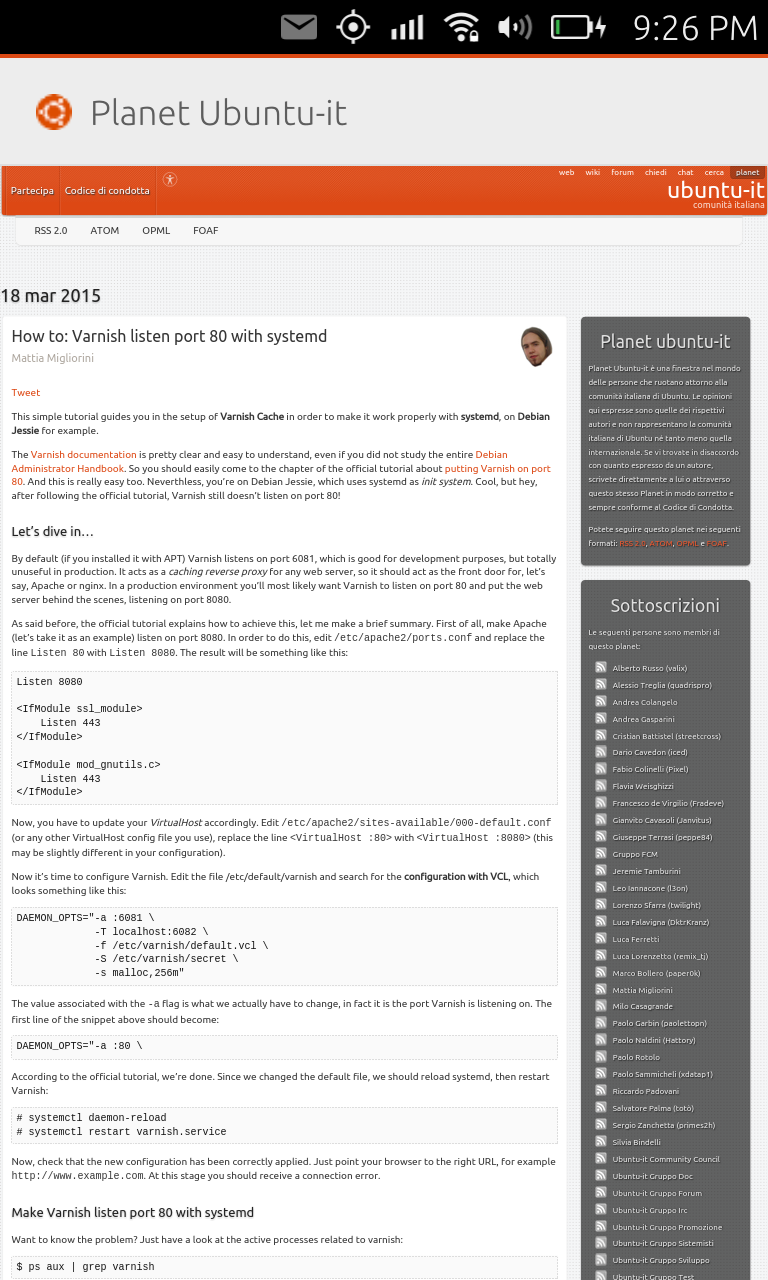 |
| Planet Ubuntu-it |
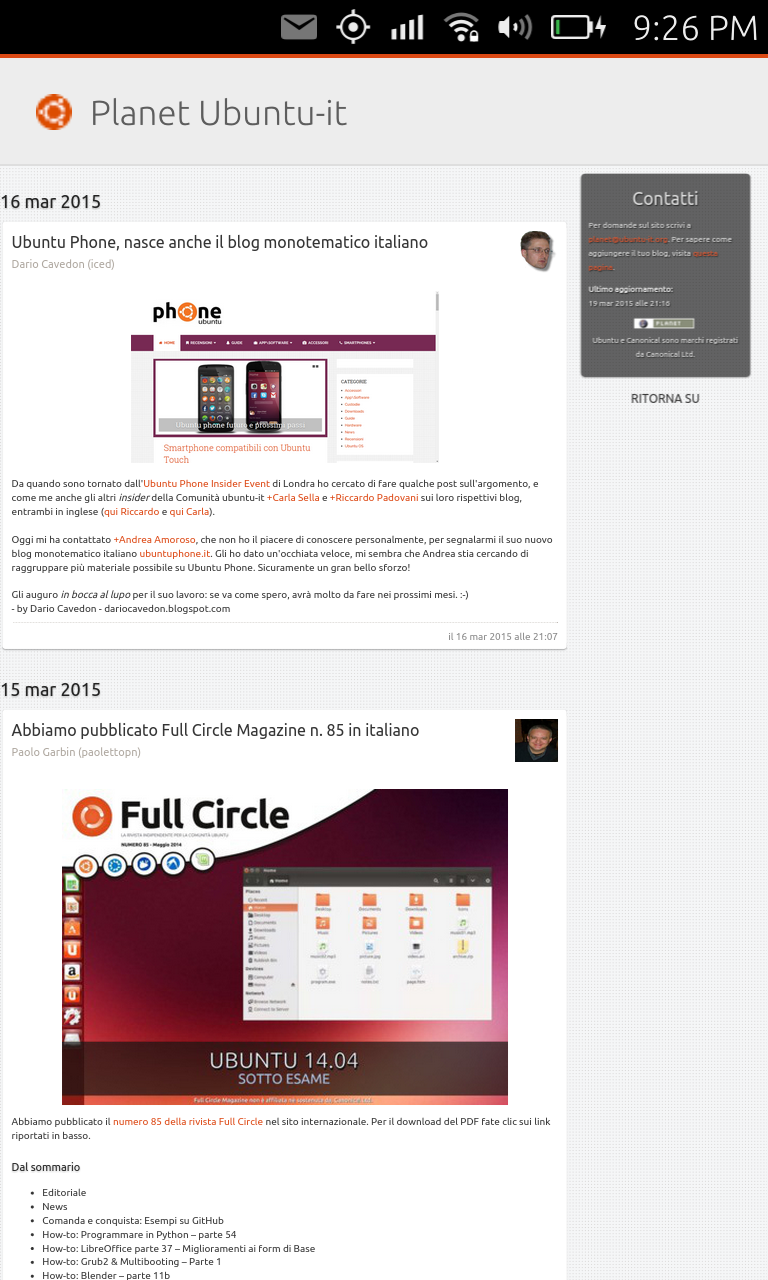 |
| Planet Ubuntu-it |
This is simply awesome!
I cannot believe how simple it is to create your webapp for Ubuntu Phone.
You just have to go to this web site: https://developer.ubuntu.com/webapp-generator
Fill in the fileds and click on the submit button.

You will get a click package downloaded to you PC.
This click package can be installed on your Phone for testing, you just have to connect your phone to your PC with a USB cord and type in terminal:
$ adb push click-package-name /tmp
$ adb shell
$ cd /tmp
$ sudo -u phablet pkcon install-local --allow-untrusted click-package-name
After checking everything is ok with it you can then publish it to the Ubuntu App store going to: http://developer.ubuntu.com.
Subscribe to:
Posts (Atom)